 -e Notion
-e Notion
-e Notion
The purpose of this tool is to deduplicate records in the notion
table where candidates are automatically selected and grouped by a
title field.
Choose the records you want to merge and keep in the table. All other
records are moved to a backup table (with prefix dedup+) so
you will not lose them and will able to identify and restore them if
needed.
This app requires an internal integration token (in format: ntn_**********) in order to link to your workspace, more in Install via internal integration token.
Let’s start in the Notion database with table view:
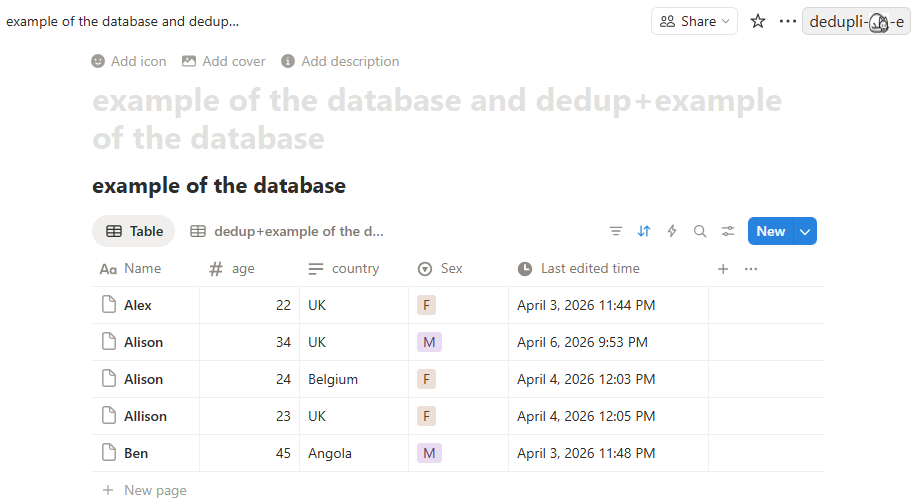
To initiate deduplication. click:  or the cat icon in
a browser toolbar
or the cat icon in
a browser toolbar 
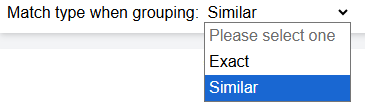
A new window will open where you can choose how to process
duplications (default is Similar, which assigns records
with a difference of 1 character to the same group. Exact
assigns identical records to the same group.)
In the window below you can see a list of duplications grouped by
a title, which in this example is the Name
column:
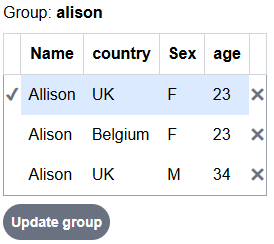
The list of duplication groups contains only records potentially duplicated. Unique records are not included in this list.
By clicking ✖ you remove records from a group you wish to update
so those records are ignored during update. E.g. in this example you can
remove Allison from the Alison group, assuming
this is a unique record. This leaves two records:
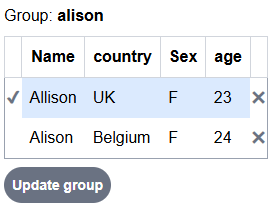
which you wish to process.
age field from the other record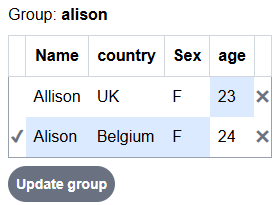
Clicking Update group button updates selected record
✔ with fields highlighted in blue.
The group will be updated to single unique record:
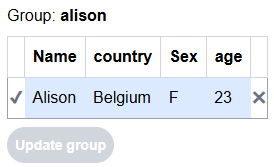
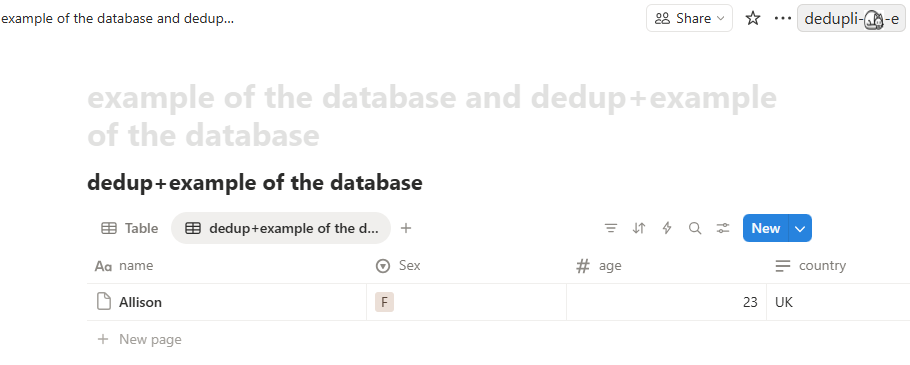
The updated Notion table now looks like this: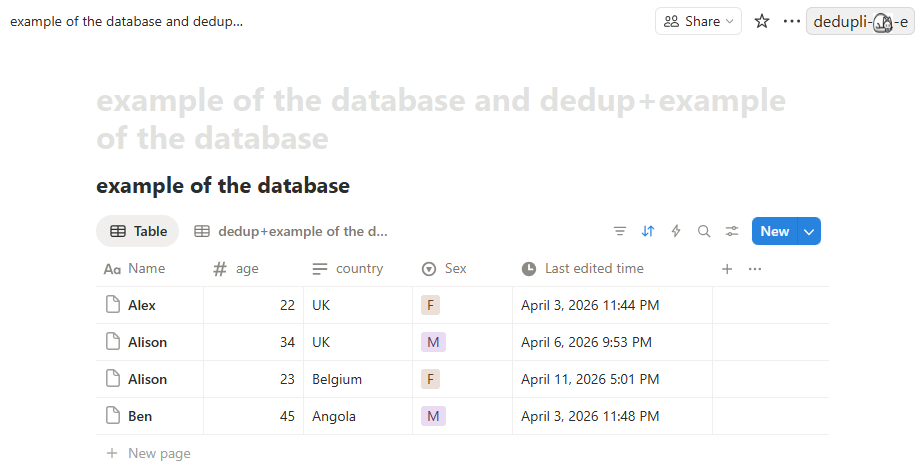
with age changed to 34. Other records (in the example
record Alison,UK,M,34) will be moved to a backup table,
named by adding dedup+ prefix to a table name: